Get the season on the calendar
Choose your game and format, add your players and generate the fixtures. Set the races and handicaps for your league.
Made by league players
Fixtures, scores and standings, all in one place. Players enter their results at the table. You get on with your evening.
Already playing in a CueClub league? Use your organiser’s invite link.
 9-Ball
vs Jordan
Thursday 9-Ball·Thu 25 Jun · 19:00·Race to 7A result goes in. The table updates.
Waiting for tonight’s results
Sample match · Nothing is saved to a real league.
Across CueClub · Refreshed hourly
Whichever game
gets you to the table.
 English 8-Ball
 US 8-Ball
 9-Ball
 10-Ball
 Snooker
 Heyball
 Straight Pool
For the person running the league
You shouldn’t have to spend the night collecting scores and updating a spreadsheet. Let players enter their results, and keep the whole league in the picture.
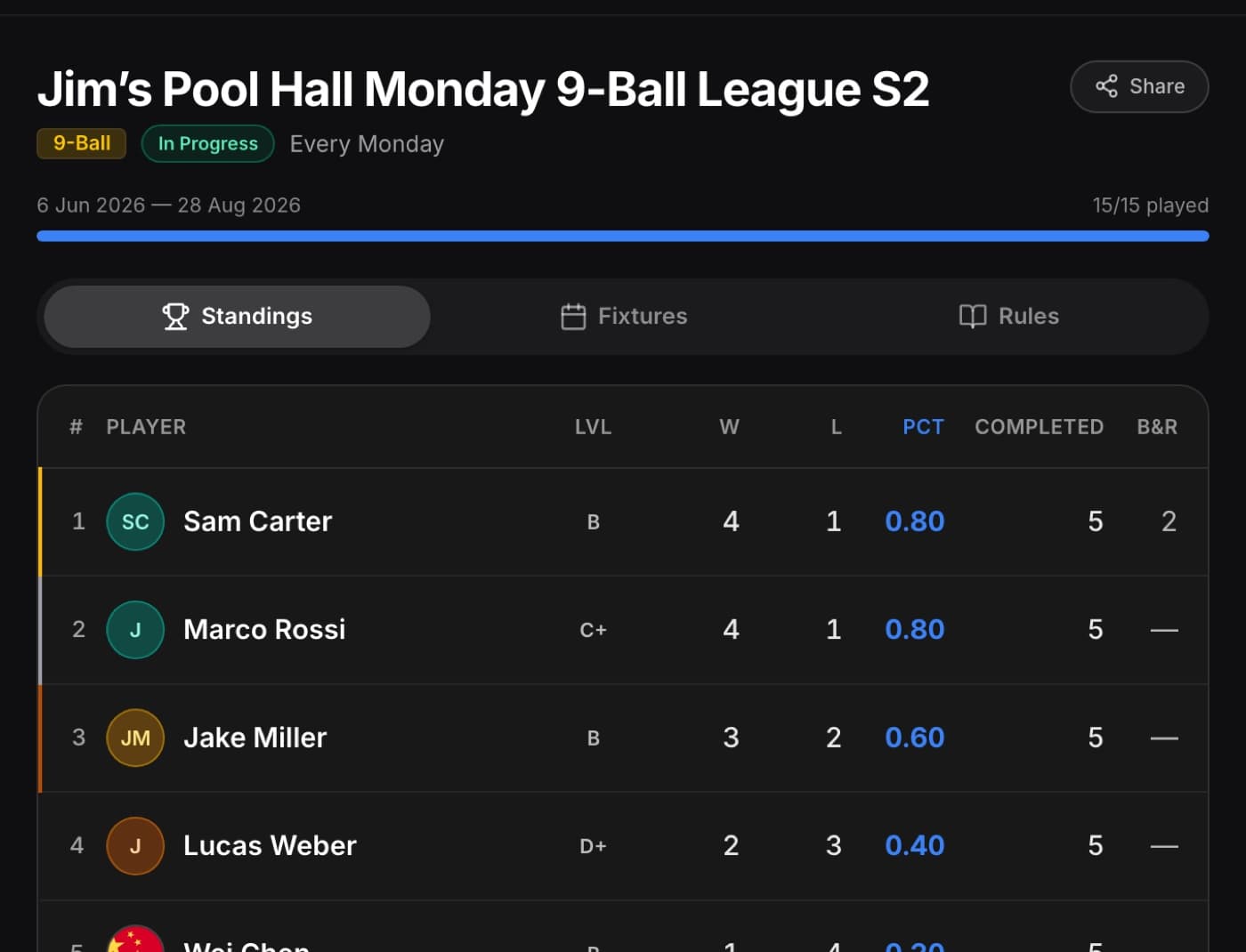
Choose your game and format, add your players and generate the fixtures. Set the races and handicaps for your league.
Players enter scores and request new dates. You approve reschedules, and a co-organiser can help when you’re away.
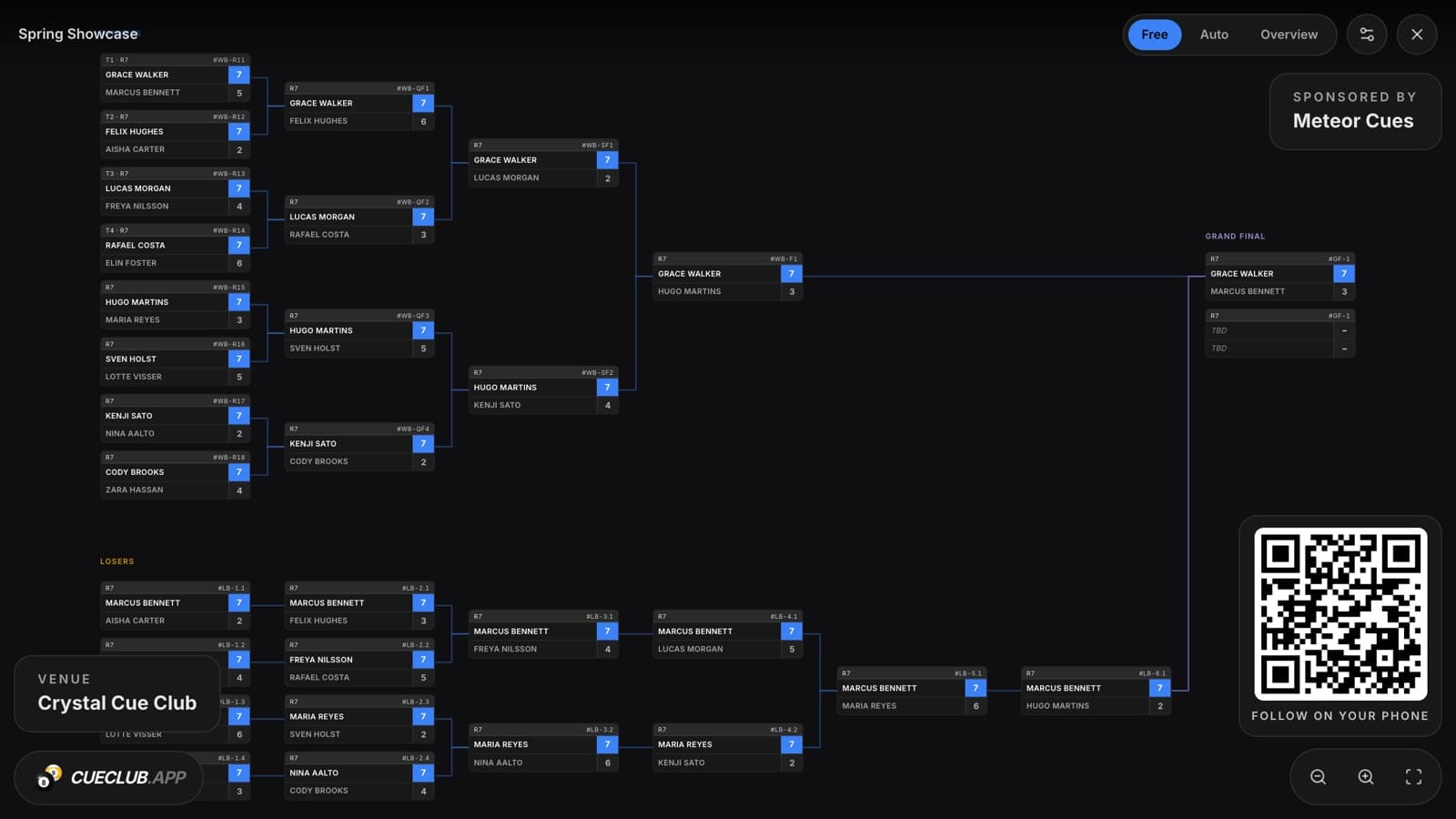
Share your standings and fixtures with one public link. For tournaments, put the bracket on the venue TV.
Starting a season
Choose how your league plays, add the players and generate the fixtures. As results come in, the standings stay up to date.
Choose the cue sport, single or double round robin, and the races and handicaps your league uses.
Add the roster or share a league code so players can join. Assign skill grades if you play handicapped.
Build the rounds, set your playing dates and share the public league page. Players can see their own matches.
Once the season is complete, clone it with your settings, roster and grades. Update the players and generate the new fixtures.
Bring your history with you. We can help import results from a CSV or a 14.1 Scorer PDF, so players keep their earlier records.
Get help bringing your league overThursday 9-Ball · Tonight
Alex plays off B. Jordan plays off A+. Their grades set the race and head start from the handicap chart.
And the rest of the evening

vs Sam Nolan20:00Thursday 9-Ball

vs Chris21:00Thursday 8-Ball
The same match and handicap panels players see in CueClub. Sample fixtures.
Explore match nightFor players
Open CueClub and see who you’re playing, when you’re on and what the race is. After the match, enter the score and see where you stand.
The player demo is open. No account needed.
Something to talk about
before the next match.
Your game, over time
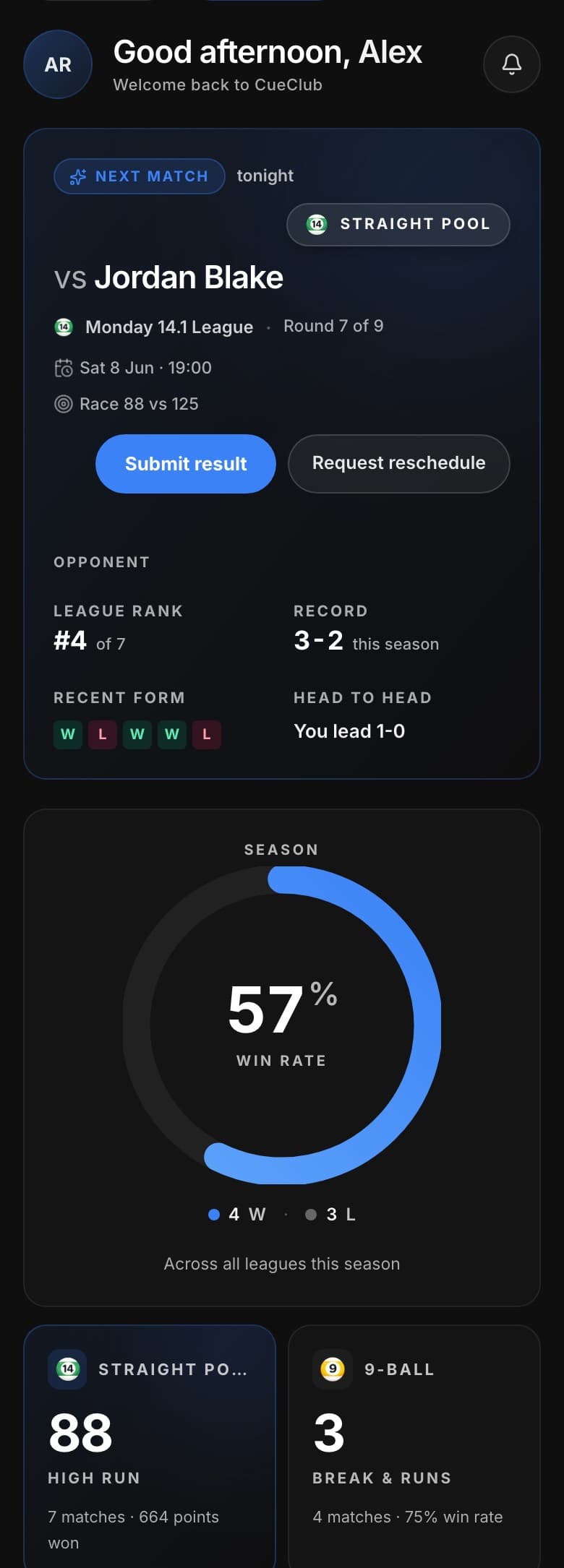
Your results tell a story. Follow your win rate, look back at recent matches and keep track of the runs you’ll want to remember.
Monday 14.1 League
Seven matches this season
 Straight Pool
88
High run
7 matches
9-Ball3
Break & runs
4 matches · 75% win rate
Built for cue sports
WPA 8-Ball or house rules? A race to racks or a target in points? CueClub gives leagues and tournaments settings that fit the game you actually play.
Choose a starting point, then adjust the available settings for your event.
Global standard — call ball + pocket, ball-in-hand, 8-on-break re-spots.
Fast format on 7ft — solids/stripes, 30s shot clock, one-visit ball-in-hand.
Biggest US league rules — call shot no slop, full-table break-scratch BIH.
American pro call-pocket — 8-on-break WINS, ball-in-hand all fouls.
Pub rules — slop counts, 8-on-break wins, optional last-pocket.
These are the templates available in the app’s tournament setup.
Tournament nights, too
On their phone, or on the wall. Players can see who’s through and who they might face next, as the results come in.
Come and join us
Running a league or playing in one?
Here’s where to start.
We’re working directly with organisers while we finalise pricing. Tell us what you play, how many players you have and where you’re based. We’ll help you get started.
Tell us about your leagueAsk your organiser for your invite link to connect your account to your player record. If you’re new to CueClub, you can create an account to get started.
Create a player account Already have a league code?Anyone can open your public league page or bracket to check standings and fixtures. Players need an account linked to their player record to enter scores and manage their matches.
Yes. Tell us how you keep your current records and we’ll help you get set up. CueClub supports CSV imports and 14.1 Scorer PDFs for supported workflows.
Organiser pricing is being finalised. Contact us with your league details and we’ll explain what’s available before you get started.
You can explore the player demo now. To play league matches on CueClub, your organiser will need to set up the league and invite you. Send them this page or ask them to get in touch through our contact form.